Account Deletion
We take account deletion requests very seriously, and we have different options for you based on what sort of account deletion you would like.
[PC/Mobile] In-game deletion (unrecoverable)
Deletion in compliance with General Data Protection Regulation (GDPR. European Union Law)
You want to start a new Gems of War account
If you'd like your old account deleted because you want to start a new Gems of War account the simplest option is to simply start a new account and abandon the old one without deleting it.
On Android, iOS and Amazon, you can start a new Gems of War account simply by reinstalling the game and selecting to start a new account when you open the game again for the first time.
On Steam open the game and press shift and 6 on your keyboard when the loading bar appears to delete your account data.
On Xbox, PlayStation and Nintendo Switch, the fastest way to start a new game is to create a new profile on your console and use a separate Xbox Live, PSN or Nintendo Online account to sign in.
If you'd like to re-use your registered email address from your old account Android, iOS, Amazon or Steam) on your new Gems of War account, you will need to contact support.
Given that Gems of War does not contain content that cannot be earned later from gameplay, and the tutorial phase of the game is up to level 100, we avoid clearing any accounts that have not progressed far enough into the game or are just created.
If you would like a more thorough option, please continue reading.
[PC/Mobile] In-Game Account Deletion: Totally Unrecoverable
There is a complete account deletion option available in-game for players on Steam, Android and iOS platforms, which can be found under the Settings menu. This deletion is GDPR compliant after a cooling-off period of 20 days.
If you would like an immediate GDPR-compliant deletion, please see the section below titled Deletion in accordance with the General Data Protection Regulation (GDPR) (European Union and UK Law).
To find the deletion option in-game, open the Settings Menu on the World Map and select the Account Tab.
When the Accounts Tab has been accessed, you'll be able to locate the new 'Delete Account' button in the bottom right-hand corner.
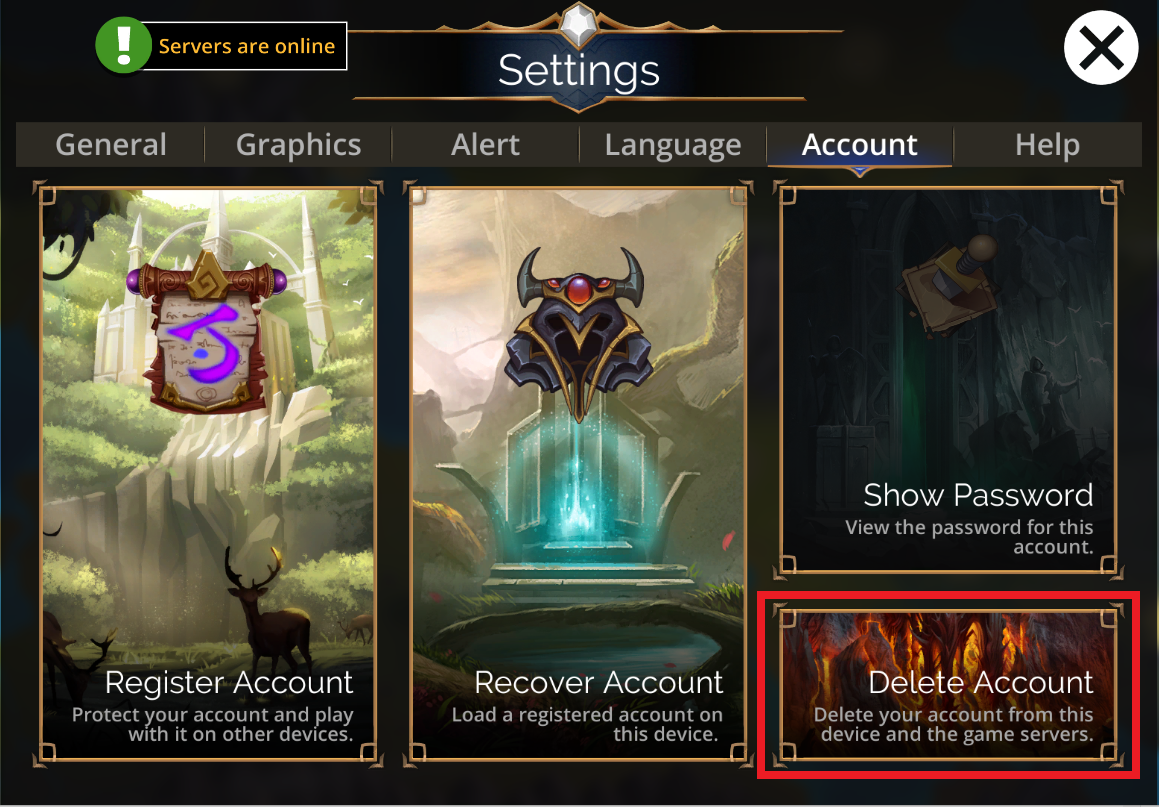
Once the 'Delete Account' button has been pressed, a confirmation screen will appear.
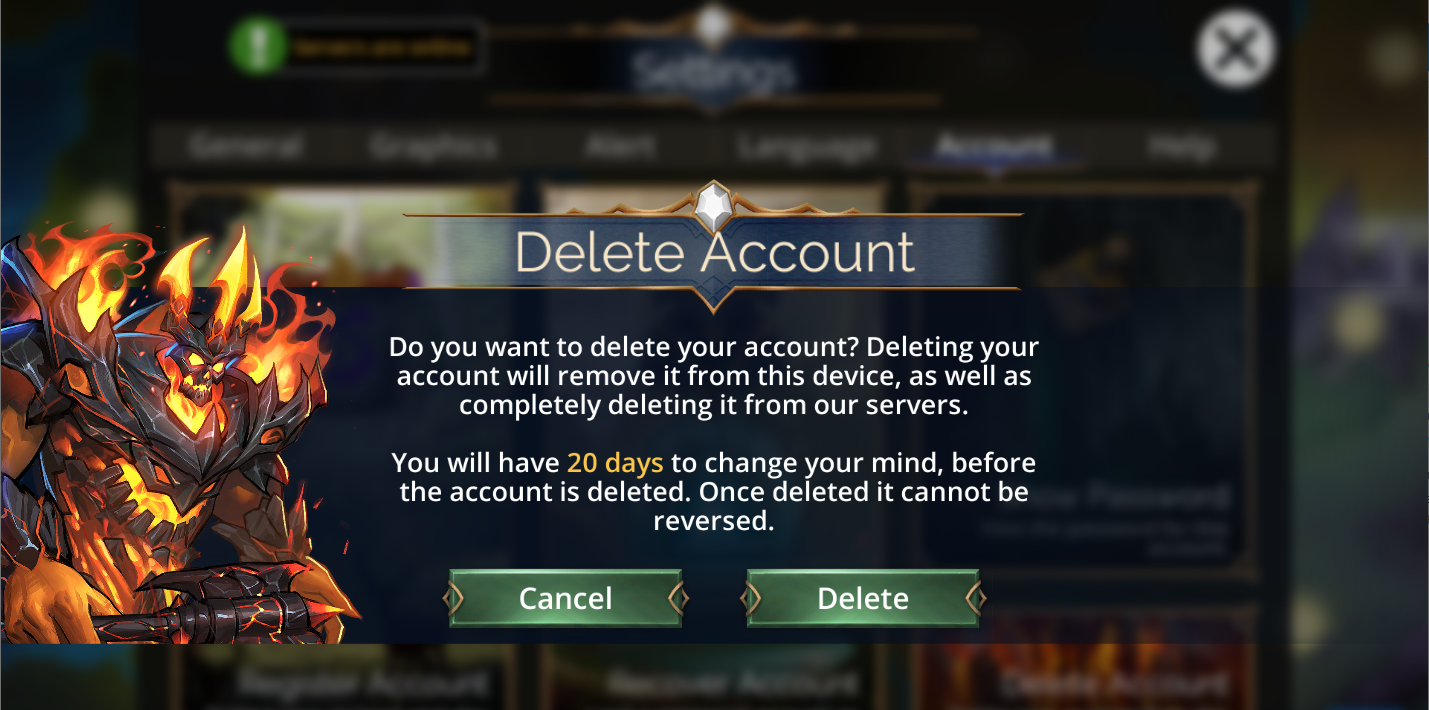
Once the request to delete an account has been confirmed, it will start a 20 day timer before the deletion will take place.
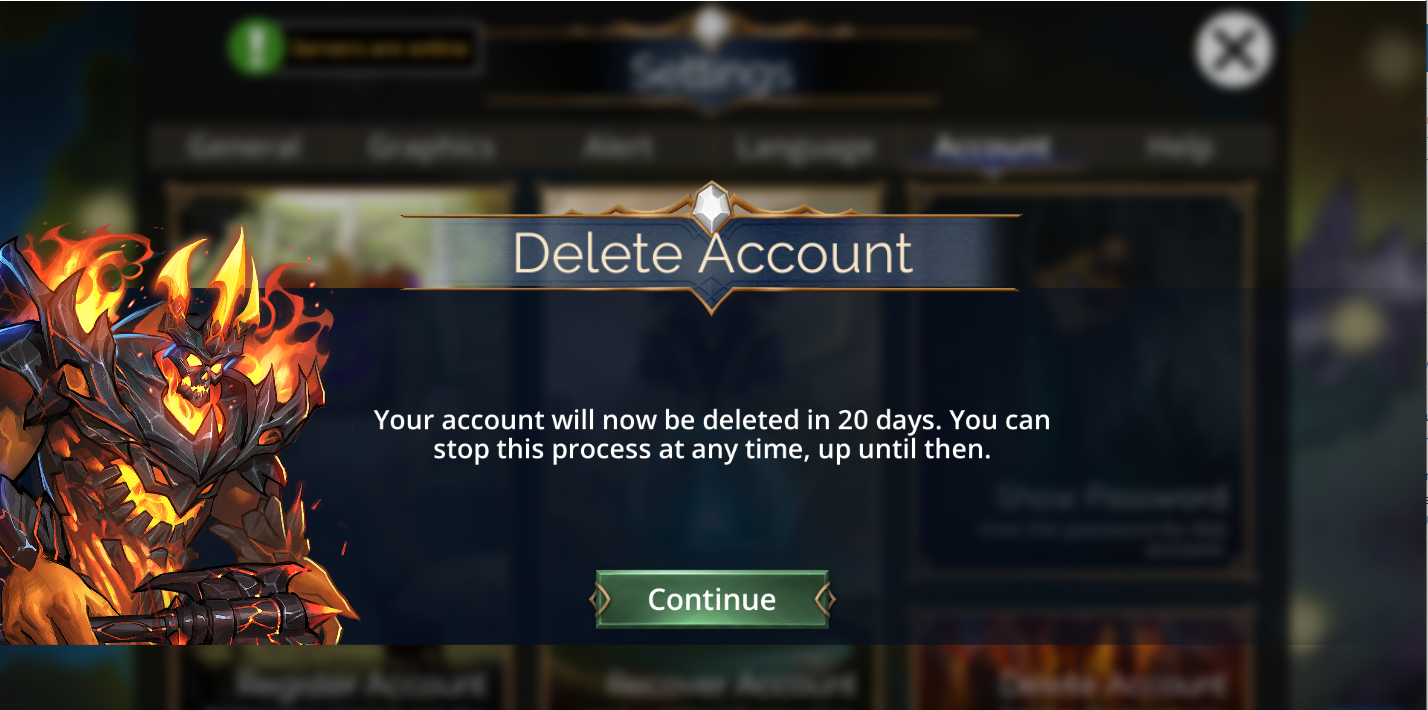
When this 20-day timer has been started, you will receive a pop-up message after every daily reset as a reminder of how many days remain until the account is deleted.
If you change your mind and decide that you no longer want to delete your account, you can stop the Account Deletion by going to the Accounts Tab under the Settings Menu and pressing the 'Delete Account' button again, which will bring up a confirmation screen allowing you to stop the countdown.
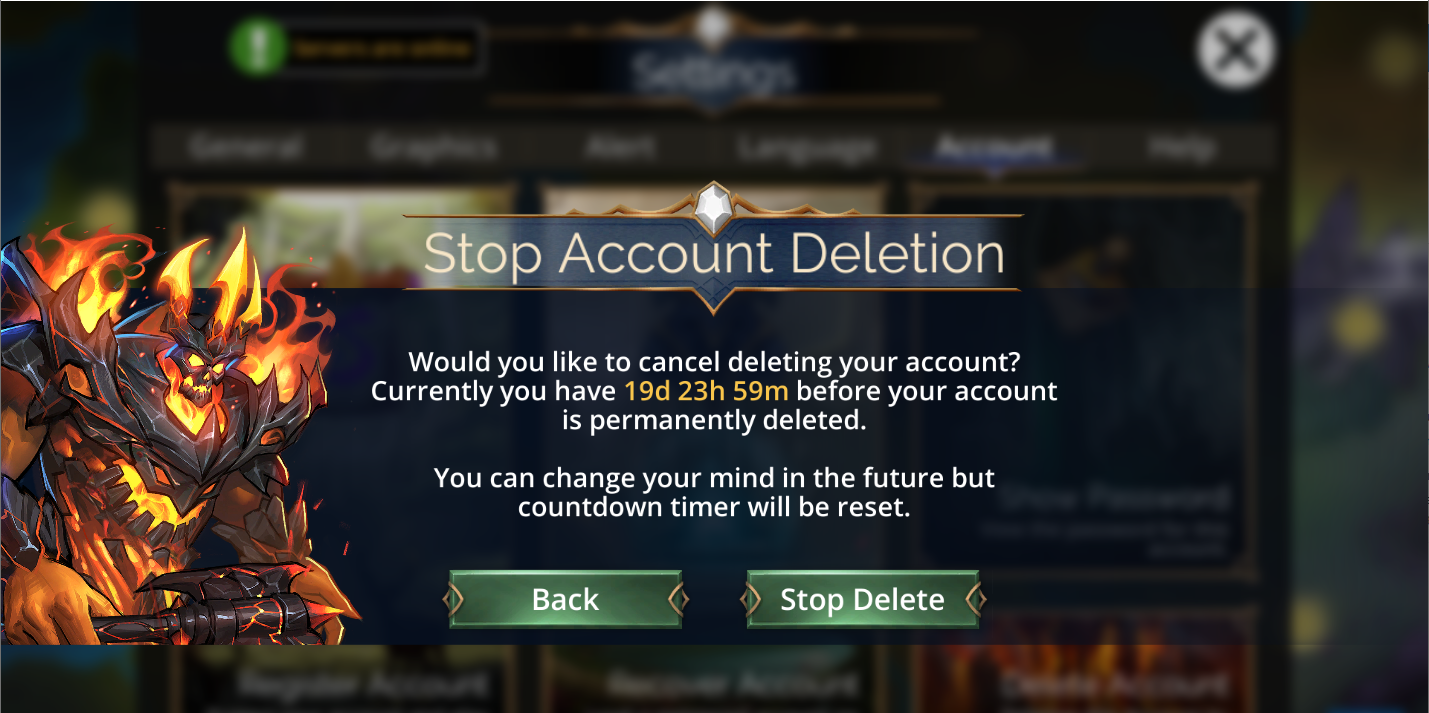
After the 20-day countdown timer ends, the game will then delete your account from the game server. This account deletion will include any purchases that have been made, so please make sure before you decide to delete your account.
Deletion in accordance with the General Data Protection Regulation (GDPR) (European Union and UK Law)
If you are in a country in the European Union or in the United Kingdom and would like to have your account deleted in accordance with the GDPR, please contact support to make this request.
We will fully purge your game account and associated data in accordance with the GDPR guidelines
Your game account will be completely unrecoverable, including VIP purchases. Any purchases made will become unrecoverable and are non-transferable.
Includes deletion of support account, game logs, analytics and other data associated with your account
If you would like to use this option, when you contact support, please confirm the following so we can delete these accounts too:
The email address(es) of any Freshdesk/Support accounts you own
The email and username of your forum account
Any other game accounts you want deleted