Enable Steam Overlay for Steam Purchase Problems
If you are unable to purchase Gems of War on Steam, try turning on the Steam overlay.
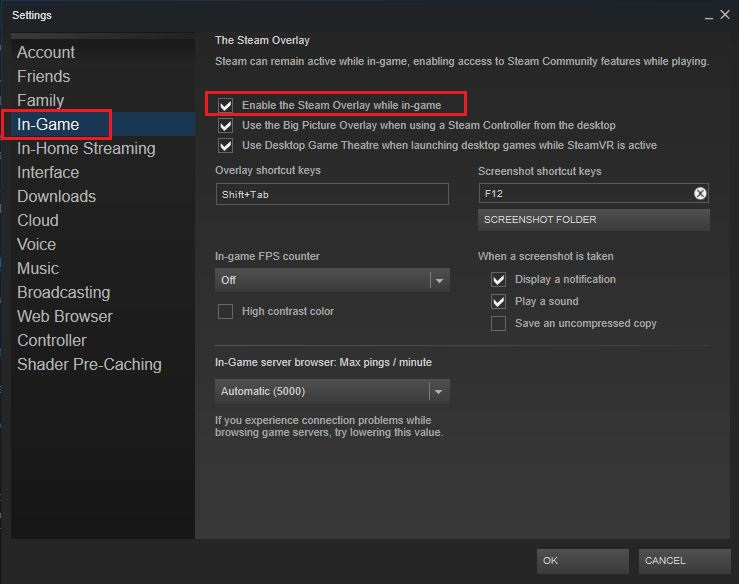
Go to Steam -> Settings
Click the In-Game tab
Check "Enable Steam Overlay while in-game"
Go to Library
Right-click on Gems of War and select Properties
Under the General tab, also make sure "Enable Steam Overlay while in-game" is checked
Was this helpful?