Finding crash reports for Gems of War on iOS
Technical Support may ask you to find a crash report for your issue if you are experiencing the game crashing or closing unexpectedly.
To find a crash report on iOS 11+
Open Gems of War or attempt to make the game crash again
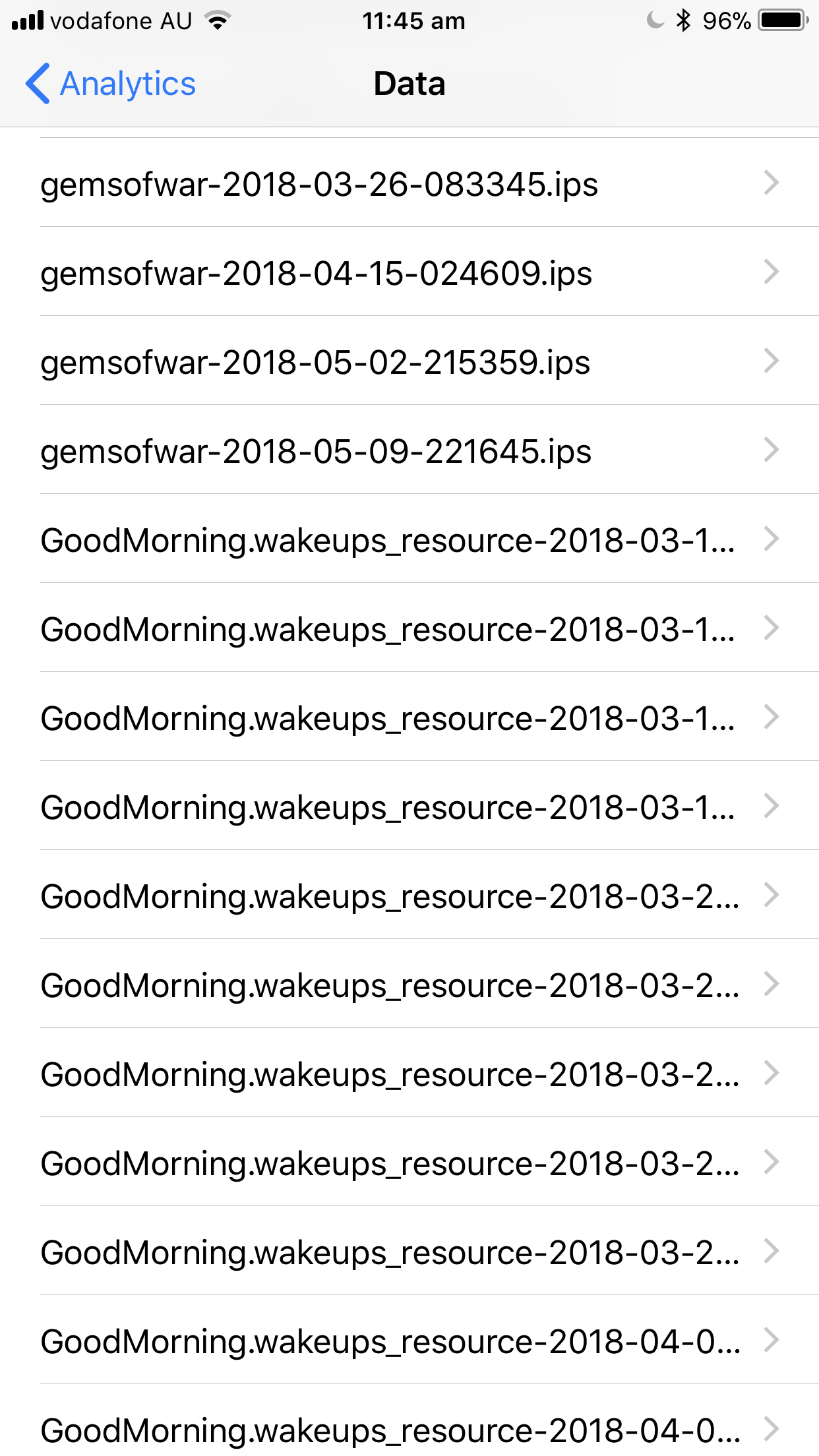
Navigate to your device Settings > Privacy > Analytics > Analytics Data
Scroll through this list to Gems of War events. (See screenshot below for an example of what this page looks like). The list is alphabetical.
Tap one of these events/items on the list. The most recent one is best if you have just had your game crash
Tap the share icon at the top right. From here, we recommend saving the file to attach in your ticket. You can access your ticket via the 'My Activities' section of the help center to attach a file.
We may also ask for Jetsam reports, which can be found the same way.
Make sure the log is from the same time you experienced a crash.
So we try to accurately find the cause of your crash, we recommend playing Gems of War with no apps running in the background.