Save Your Game Progress & Verify Your Gems of War Account
To save your game in Gems of War and play the account on another mobile device or computer, you can register your account
Registering your account with Gems of War also means you can recover it if it is lost and you return to level 1. Once registered, your account progress is saved automatically to our servers - no need to save the game before exiting. You can also link the account to another device to continue playing it there. Only one email can be used for each account.
SONY and XBOX Live Gems of War accounts are automatically linked to your console account - they cannot be linked to an email.
Register your account
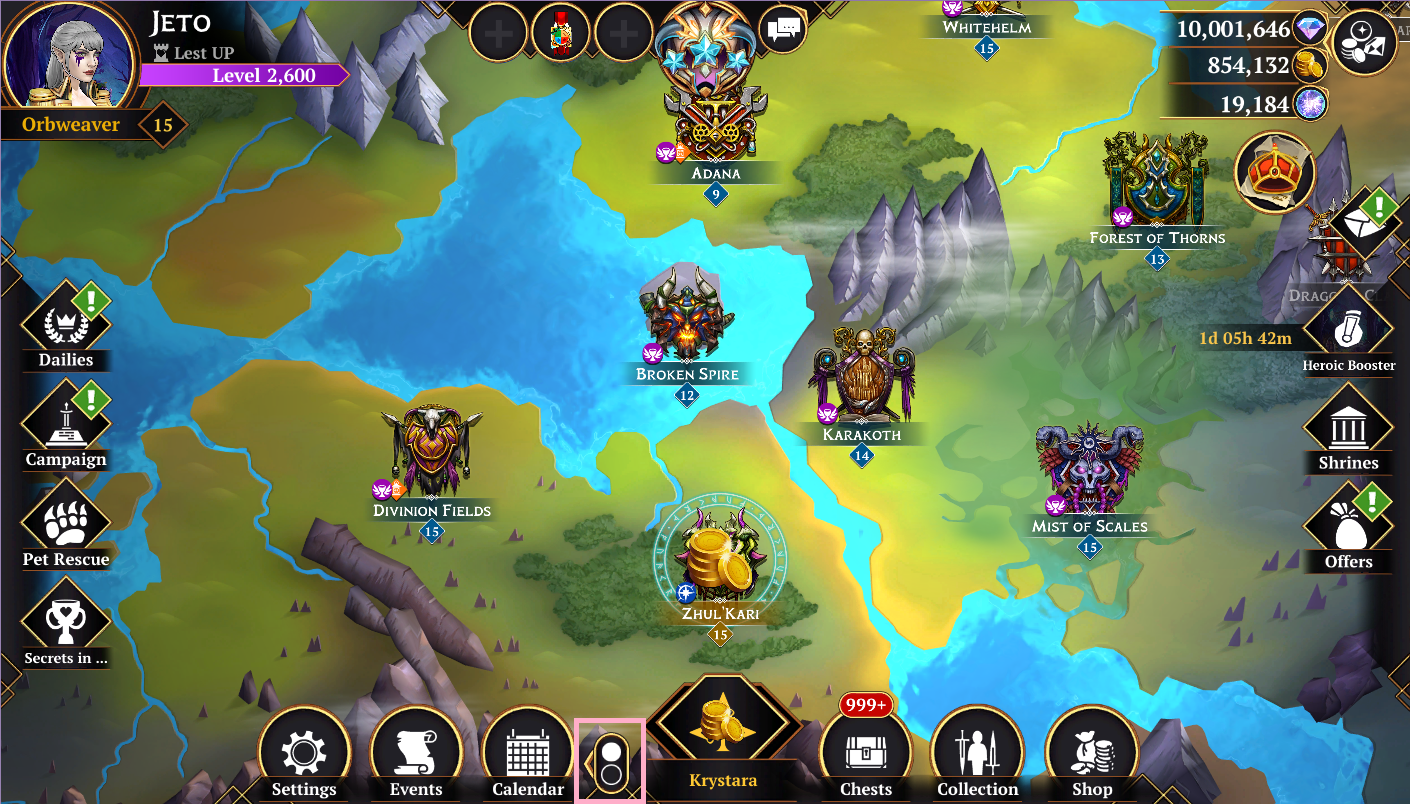
1. From the World Map, go to the SETTINGS menu, either by pressing ESC or tapping on the switch icon.
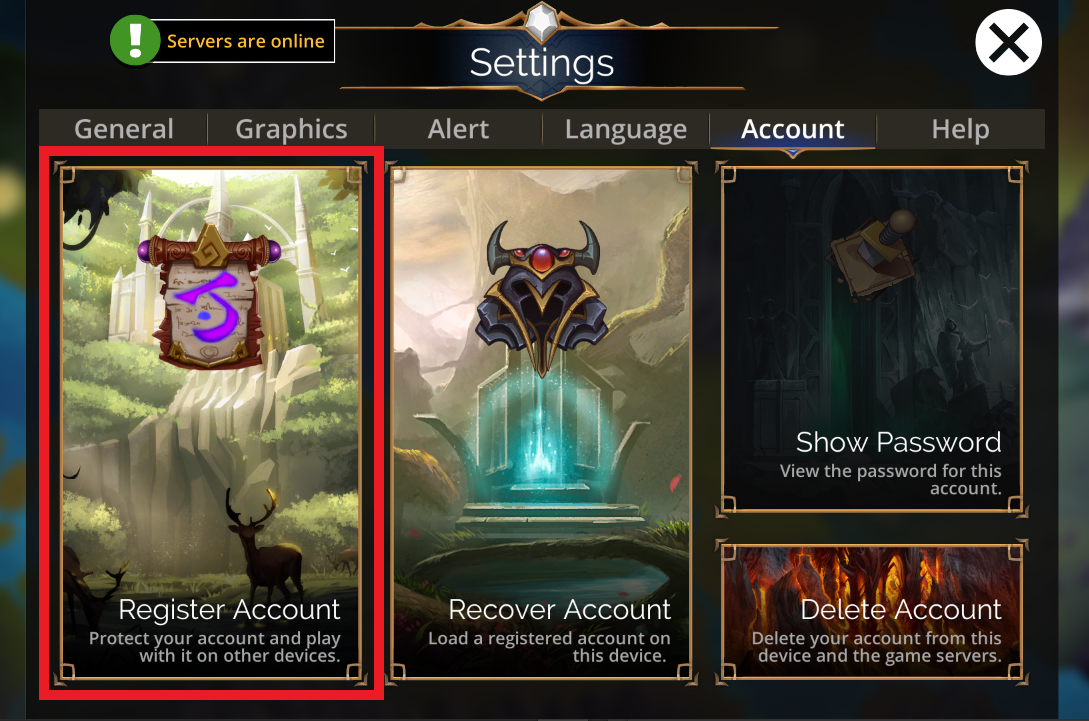
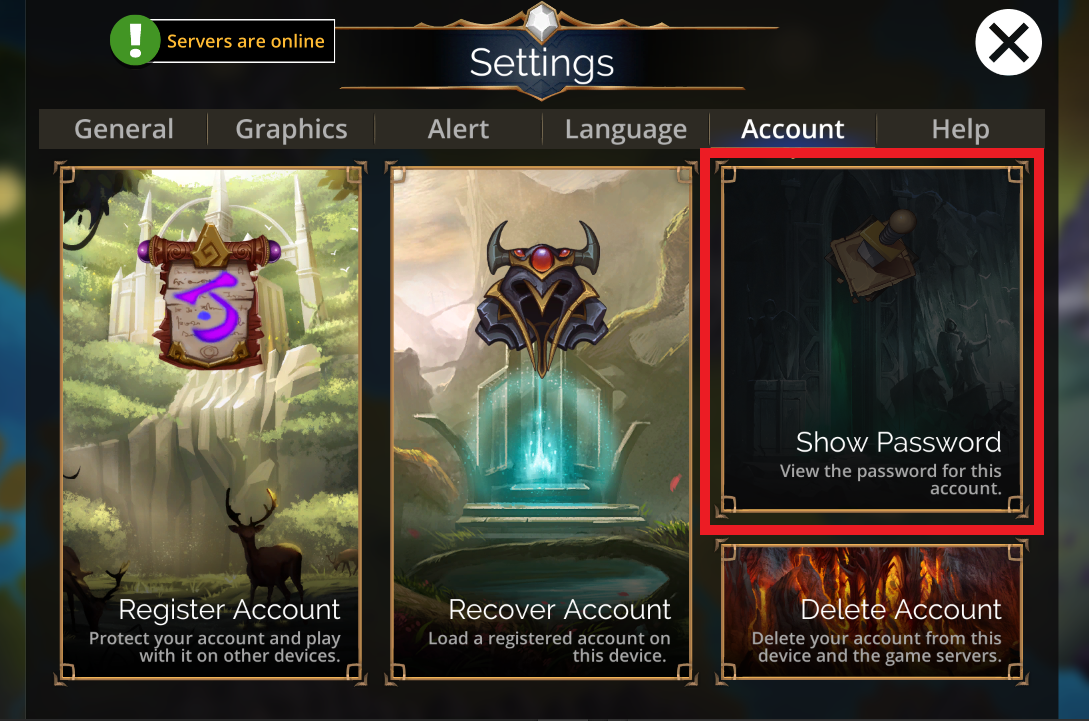
2. Select the ACCOUNT button.

3. Select REGISTER THIS DEVICE and provide an email. This email will only be used for account registration purposes.
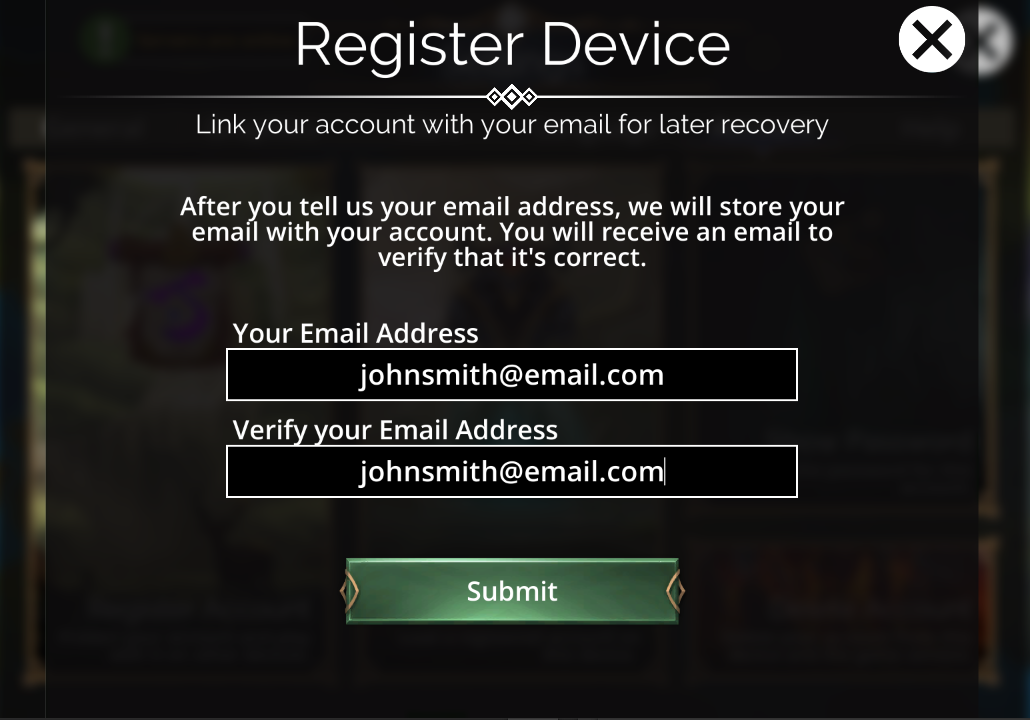
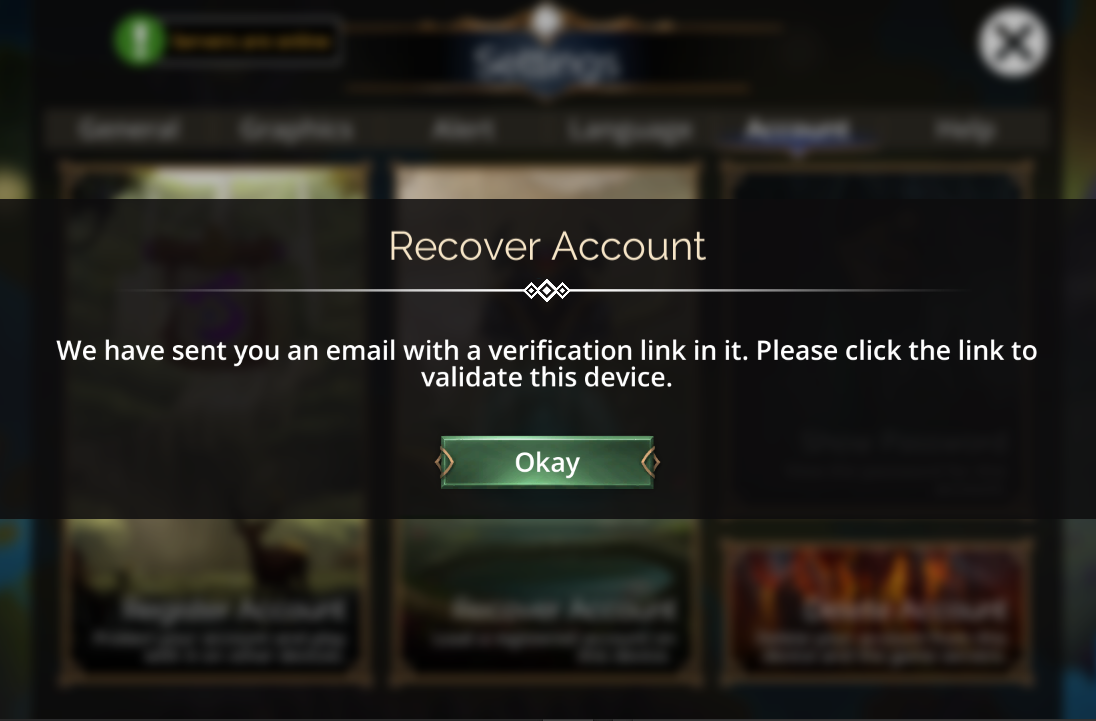
4. You must click the link in the email sent to the email address you provided. This will verify that your email address is correct. Only once an email has been verified will you be able to reset your password if needed in future.
5. Once the email is verified, from SETTINGS > ACCOUNT, select the SHOW YOUR PASSWORD button to get your password. Write this down and don't lose it!
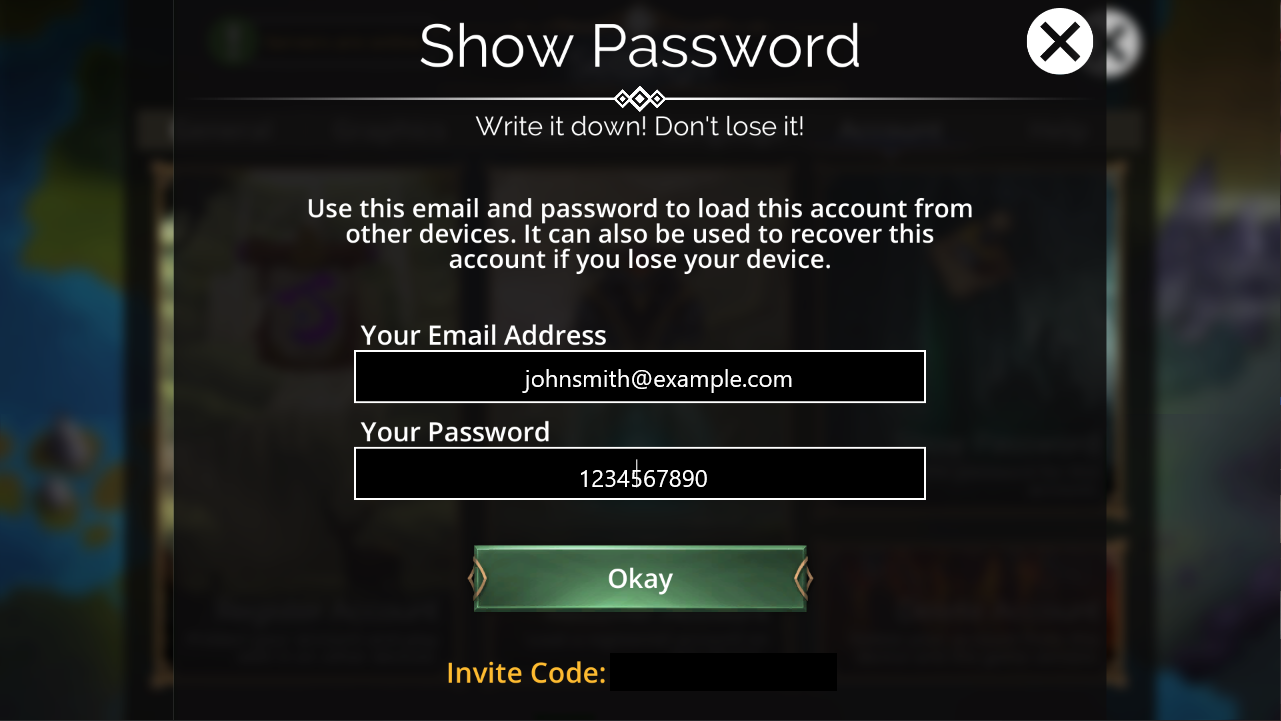
6. You can use this password to link your game to another device or recover your account.