Team Sharing
Share your Team builds with your friends by copy pasting them in the game chat and in external chat apps.
Overview
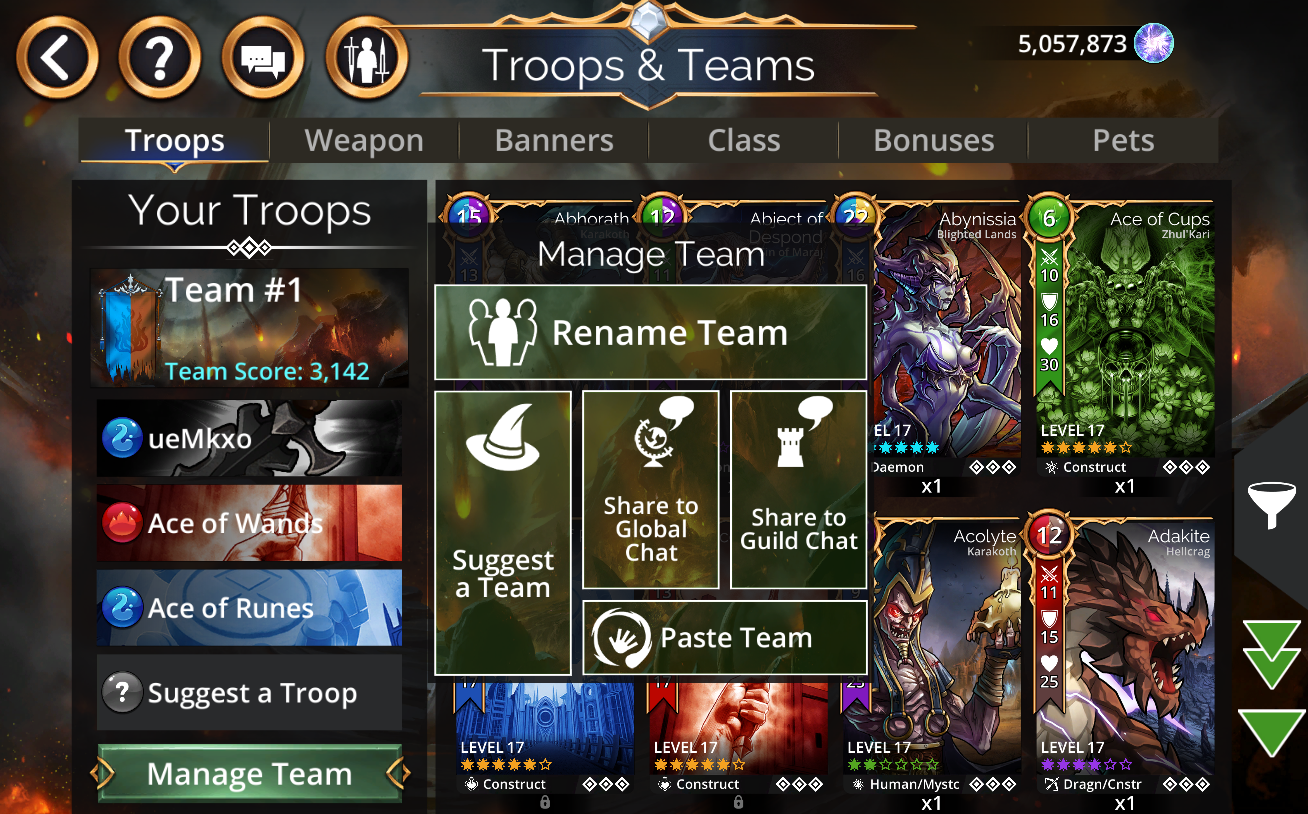
It's easy to copy and paste your Teams and share them in Gems of War. Open the Troop Menu, select a team and then select Manage Team to see your Team sharing options.
Sharing your Team in-game
You can share your Team in-game by selecting the Team, Manage Team and then either:
Share to Global Chat
Share to Guild Chat
Pasting Teams
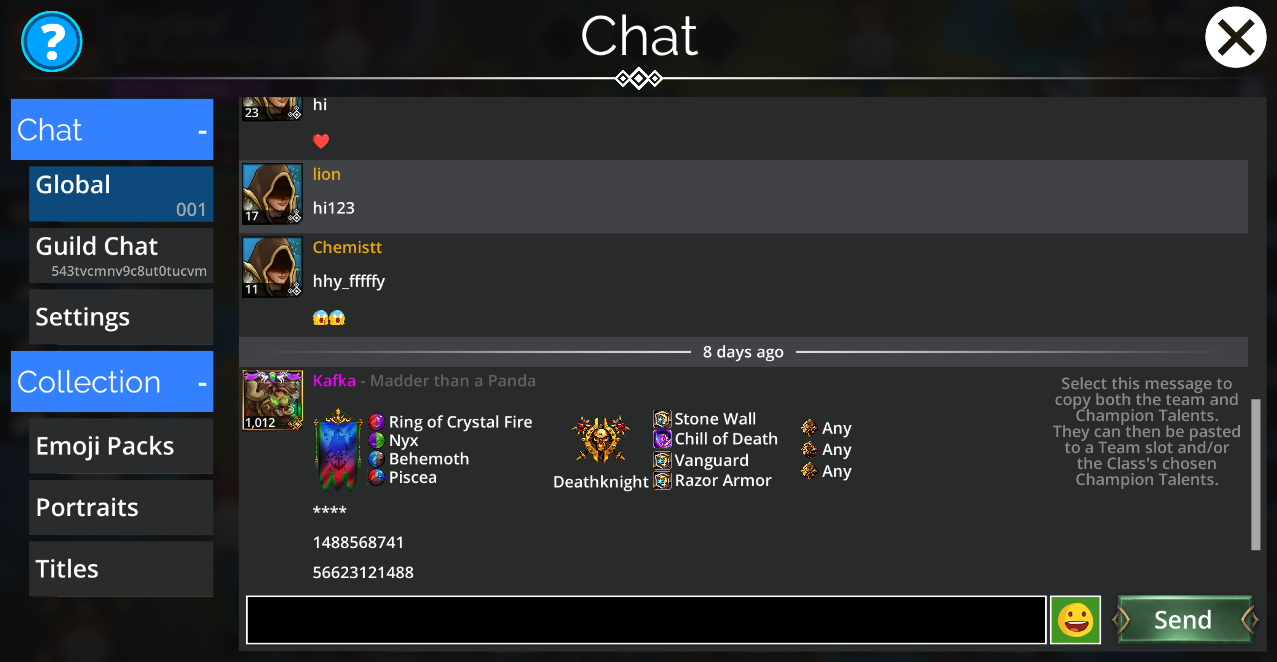
To copy a Team from the in-game chat, simply:
Click or tap the team in chat to copy it
Open the Troop Menu
Select the Team Slot you want to paste the team into
Select Manage Team
Select Paste Team.
Sharing Gems of War Teams outside of the game
All of your Teams have a Team Share Code which you can view simply by selecting Manage Team.
You can copy and paste this into any external chat program.
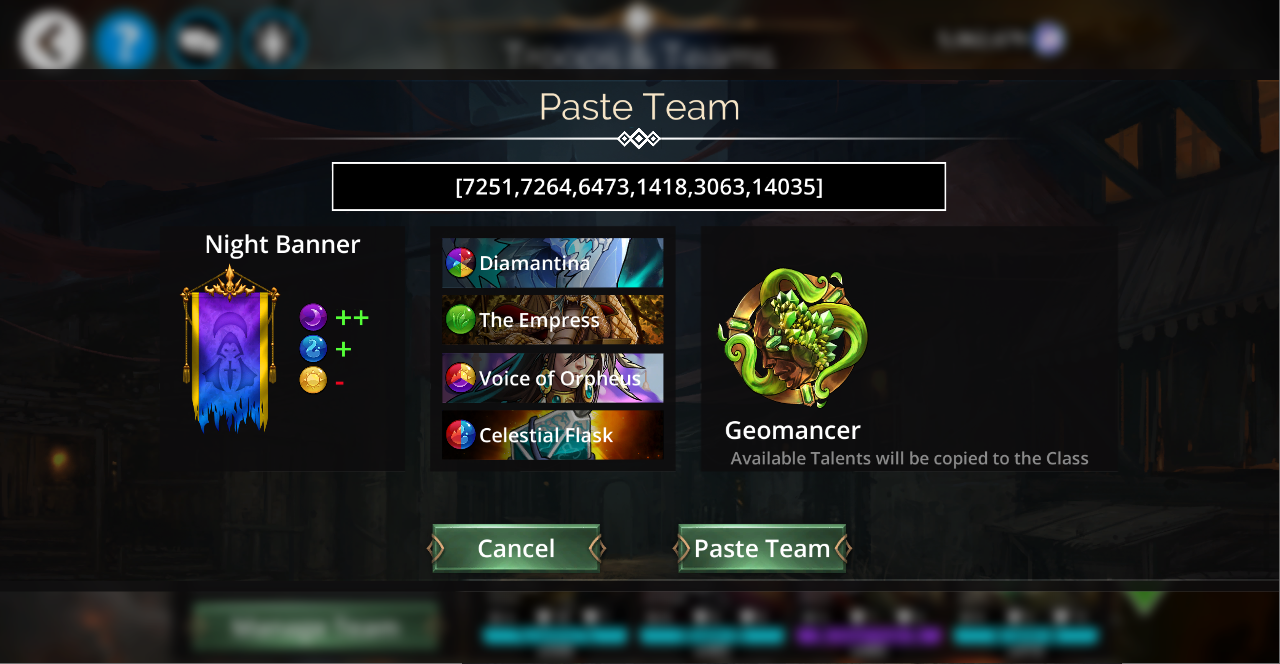
To paste a team sent to you from outside of the game:
Select your Team Slot
Select Paste Team
Paste the code into the text box
Select Paste Team