Steam Cloud uitschakelen
Door Steam Cloud uit te schakelen, voorkomt u dat Steam uw spelersgegevens met zijn servers synchroniseert. Dit is handig als u op een computer werkt waarop vaak van account wordt gewisseld, of als u uw accountgegevens moet herstellen.
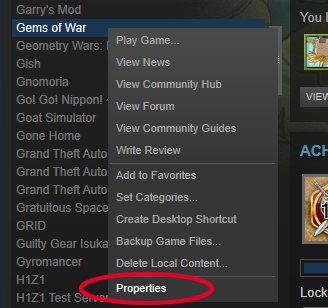
Zoek Gems of War in uw bibliotheek, klik er met de rechtermuisknop op en selecteer Eigenschappen.
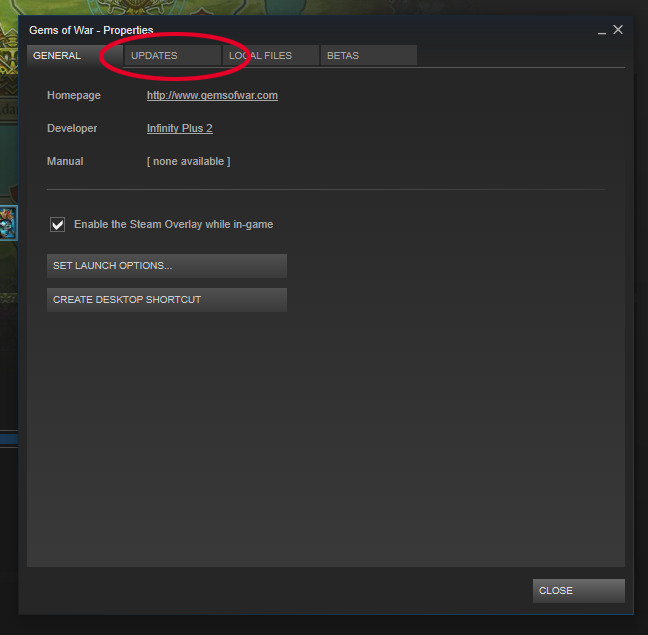
Selecteer het tabblad 'Updates'.
Schakel het selectievakje naast 'Steam Cloud-synchronisatie voor Gems of War inschakelen' uit.
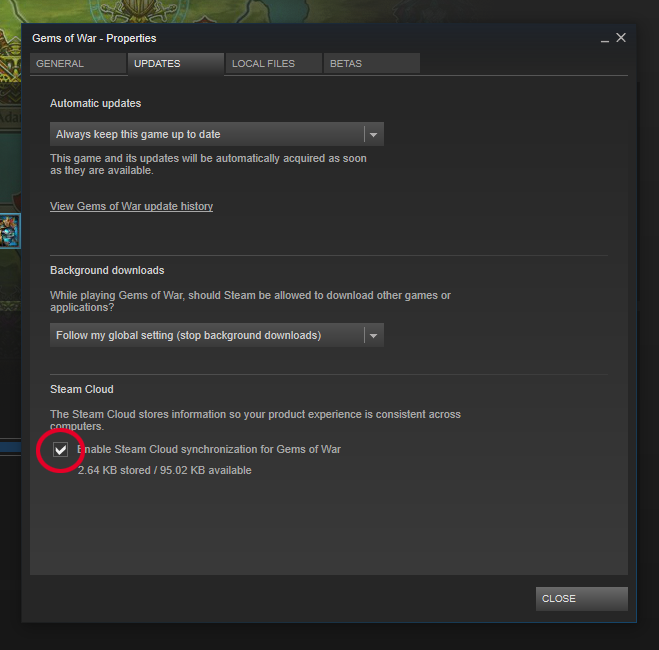
Steam Cloud is nu uitgeschakeld voor Gems of War!
Was dit nuttig?